Now that you have written your first script, this lesson covers the PHP basics you will use in every file you ever write: how the syntax works, how to store values in variables, and which data types PHP gives you.
How PHP syntax works
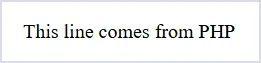
PHP code lives inside <?php ... ?> tags. Anything outside them is sent to the browser untouched. That is why you can drop PHP straight into an HTML page.
<?php
  echo "This line comes from PHP";
?>
Output:
Two rules cover most of the syntax:
- Every statement ends with a semicolon.
- Variable names are case-sensitive But Keywords are not. Keywords like
ECHO and echo both works, but $name and $Name are two different variables.
If your page suddenly loads blank, a missing semicolon is the usual reason.
Variables and constants
A variable is a labelled box. In PHP, every variable name starts with a dollar sign.
<?php
  $name  = "Flow";
  $age   = 22;
  $price = 9.99;
  echo "Hello, $name!";
  echo "<br>";
  echo "your Age is $age";
  echo "<br>";
  echo "and the price is $price"
?>
Output:
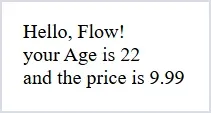
Notice that you never have to declare a type like int, char or float. PHP actually works that part out for you, and you can Assign Any Value Weather it is an int type value, float or character type and this value can be changed later because that's what variable's definition is right?
Variable: something that changes or can be changed...
A constant is the opposite of a variable: you set it once and it can never change. it stays fixed across the whole site, like a site name or a tax rate.
Now there are two ways to define a constant:
- via define function
- via keyword
Example:
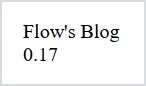
<?php
  define("SITE_NAME", "Flow's Blog");
  const TAX_RATE = 0.17;
  echo SITE_NAME;
  echo "<br>";
  echo TAX_RATE;
?>
Output:
Two things to notice. Constants have no dollar sign, and by convention they are written in capitals so you can spot them instantly. If you try to reassign one, PHP stops you, which is exactly the point of using it.
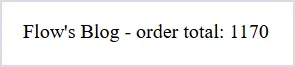
<?php
  define("SITE_NAME", "Flow's Blog");
  const TAX_RATE = 0.17;

  $price = 1000;
  $total = $price + ($price * TAX_RATE);

  echo SITE_NAME . " - order total: " . $total;
?>
Output:
Now try changing a constant after you have set it:
<?php
  const TAX_RATE = 0.17;

  TAX_RATE = 0.20;
?>
Output:
That error is PHP refusing to let a constant change, which is exactly what you want it to do.
Example:
One quoting rule matters a lot here. Double quotes read variables inside the string. Single quotes print them literally.
<?php
$name="Flow";
echo "Hello, $name";
echo 'Hello, $name';
?>
Output
<?php
$name="Flow";
echo 'Hello, $name';
?>
Output
The data types you will actually use
PHP has eight types in total. These six are the PHP basics you will meet every day.
- String — text, like
"hello"
- Integer — whole numbers, like
42
- Float — decimals, like
9.99
- Boolean —
true or false
- Array — a list of values in one variable
- NULL — deliberately empty
Use var_dump() when you want to see what PHP thinks a value is. It prints the type and the value together, which is far more useful than echo while you are learning.
<?php
  $price = 9.99;
  var_dump($price);
?>
Output
Putting the PHP basics together
Here is a short script that uses everything above.
<?php
  $product = "Notebook";
  $price   = 4.50;
  $inStock = true;
  $tags    = ["paper", "stationery"];

  echo "$product costs $price";

  if ($inStock) {
      echo " and it is in stock.";
  }
?>
Save it as basics.php, open it through your local server, then change a value and reload. Change it again. Breaking code teaches you more than reading it.
Three mistakes that catch everyone
Forgetting the dollar sign is the first one. name = "Flow" is not a variable in PHP.
The second is comparing with a single equals sign. = assigns a value, == compares two values, and === compares the value and the type.
The third is a missing closing quote. PHP usually blames a line further down, so check the line above the one it names.
Common questions about PHP basics
The questions that come up most often once that first script actually runs.
What is the difference between echo and print in PHP?
Both output text. echo is slightly faster, takes multiple values separated by commas, and returns nothing. print takes one value and returns 1, so it can be used inside an expression. In practice almost everyone uses echo.
Do I have to declare variable types in PHP?
No. PHP works out the type from the value you assign, so $age = 25; is an integer and $name = "Ayesha"; is a string. You can add type declarations to function parameters later for safety, but they are never required.
Why does every PHP variable start with a dollar sign?
It is simply how PHP marks a variable in the code, which lets you drop variables straight into double-quoted strings. Forgetting it is one of the most common beginner parse errors.
What are the main data types in PHP?
String, integer, float, boolean, array and null are the ones you meet daily. Objects come later. You can check any value with var_dump(), which prints the type along with the value.
What is next
You now have the PHP basics that real logic is built on. The next lesson puts them to work with if statements, loops, and functions. If you have not set up a local server yet, start with Introduction to PHP for Beginners. The full lesson list lives on the PHP tutorial hub.

Loading comments...