This PHP tutorial takes you from zero to building real, database-driven web pages — free, one short lesson at a time.
What this PHP tutorial covers
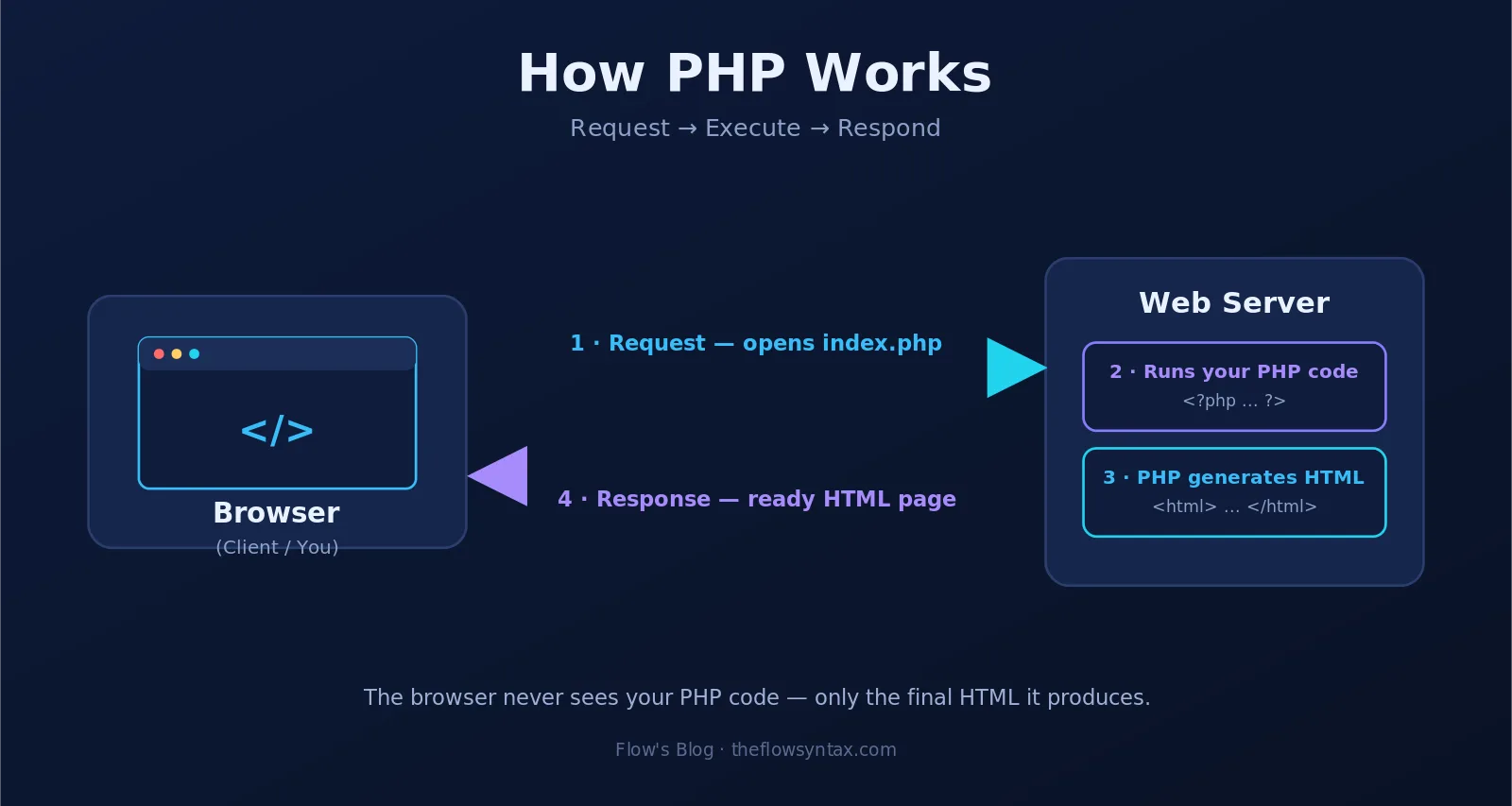
PHP runs on the server. It builds the HTML that a visitor's browser finally sees. That makes it a good first language if you want to build sites that actually do something: log people in, save data, and show it back.
The lessons below are ordered. Start at the top and work down. Each one is short, and each one builds on the last.
- The basics — syntax, variables, data types, and your first script.
- Control flow — if statements, loops, and functions.
- Forms — reading user input safely with GET and POST.
- Arrays and strings — the tools you reach for every day.
- OOP — classes and objects, and why they make bigger projects easier.
- MySQL — connecting to a database and running your first queries.
All lessons, in order
Every lesson in this PHP tutorial, grouped the way the course runs. They build on each other, so working straight down is the fastest route — but each one stands on its own if you need a single answer.
Introduction
The Basics
- PHP Basics: Syntax, Variables and Data Types
- PHP Operators: Arithmetic, Comparison and Logical
- PHP Logical Operators: and, or, && and || Explained
- PHP Operator Precedence: What Runs First and Why
- PHP Comparison Operators: ==, === and the Type Trap
Control flow
- PHP if else: Conditional Statements
- PHP switch: Cleaner Branching Than if else
- PHP Loops: while, for and foreach Explained
- PHP Functions: Parameters, Return Values and Scope
Arrays and strings
- PHP Arrays: Lists, Keys and Functions
- PHP Strings: Quotes, Functions and Formatting
- PHP JSON: json_encode and json_decode Explained
- PHP Regex: preg_match, preg_replace and Capture Groups
Date and time
Reusing code
Forms
Sessions
Object Oriented Programming
Error handling
Files
MySQL
Security
- PHP Security: SQL Injection, XSS and Password Hashing
- PHP Login System: Register, Log In and Protect Pages
What you need before you start
Not much. A local server such as XAMPP or MAMP gives you PHP and MySQL together. Add a code editor like VS Code and you are ready to go. No paid tools, no hosting bill, nothing to sign up for.
A little HTML helps, but you do not need it on day one. If you can save a file and open a folder, you can start.
How to get the most out of this PHP tutorial
Type the code yourself. Copying and pasting feels faster, but typing is how the syntax sticks. Break each example on purpose, then fix it. That is where most of the learning actually happens.
Do not rush ahead either. One lesson a day beats six in one sitting and none the week after.
Ready to start? Open the first lesson, Introduction to PHP for Beginners, and write your first script today. You can also browse the full web development tutorials hub for React, Next.js and MySQL guides.
Loading comments...